

If you pick up a thin laptop that was manufactured within the previous four years, it’s likely that it will function flawlessly for thirty minutes before the engineering flaws become apparent. The processor is strong, the chassis is stylish, and somewhere beneath the metal, the cooling system is exerting more effort than it was ever intended to under prolonged stress. The laptop displays an error when it loses that physics argument. Not necessarily a truthful one.
Forum postings and repair shop comments frequently exhibit this pattern: someone launches a demanding game or starts a lengthy video export, the system crashes with a blue screen stating WHEA_UNCORRECTABLE_ERROR, and they spend weeks believing they have failing RAM or a deteriorated CPU. They send the machine in for maintenance, change out sticks, and perform memory diagnostics. The hardware returns undamaged. Then it crashes again.
In reality, it’s more mechanical and quieter than a component breakdown. The firmware of a thin laptop initiates throttling, a sudden decrease in clock speed and operating voltage to quickly lower temperatures, when the CPU reaches its thermal ceiling. This shift occurs so smoothly in a well-cooled desktop or laptop with adequate thermal headroom that the system hardly notices. The decline can be sudden in a tiny chassis where the heatpipe and heatsink are already operating at their practical limits. Clock speeds plummet. Voltages change. Additionally, because neither the memory controller nor the PCIe lanes anticipated that abrupt change, the high-speed busses that connect the CPU to RAM and storage momentarily lose timing synchronization.
Data packets become garbled in the middle of transmission during those micro-stutters. The abrupt voltage swing is interpreted by embedded controllers as component instability, and they record what appears to be a hardware issue. Unable to discern between “component actually failed” and “timing temporarily desynchronized due to thermal event,” Windows fails and logs WHEA_UNCORRECTABLE_ERROR when it detects a Machine Check Exception. Under a different moniker, Linux accomplishes the same thing. The subtlety of “the bus timing broke briefly because the chip got too hot and throttled faster than the firmware could communicate downward” was beyond the capabilities of either operating system.
The issue is more widespread than laptop manufacturers publicly admit, and it seems to be ignored because the symptoms are so similar to those of actual hardware malfunctions. When a support specialist examines problem logs and notices memory parity faults and PCIe lane errors, they logically turn to the usual diagnostic flowchart, which was designed to address real malfunctioning parts rather than time ghosts caused by heat. It’s difficult to ignore how many posts on Microsoft’s Q&A pages and Tom’s Hardware follow the same pattern: the user reports a WHEA crash, is informed that the hardware is questionable, replaces nothing, and then discovers that heat was the cause all along.
There are workable solutions, but the majority call for some adjustment patience. Since the factory paste deteriorates dramatically with thermal cycling, replacing the CPU with new thermal compound is frequently the most effective intervention for laptops older than two or three years. Tuned throttling profiles that lessen the abruptness of the clock-speed drop are occasionally included in firmware and BIOS updates. Although this requires careful testing since too aggressive a number produces its own instability, undervolving the CPU by a modest 50 to 75 millivolts can drop operating temperatures sufficiently that throttling happens less frequently. A cooling pad that keeps the intake vents free makes a subtle but significant impact for PCs that frequently hit the ceiling under workload.
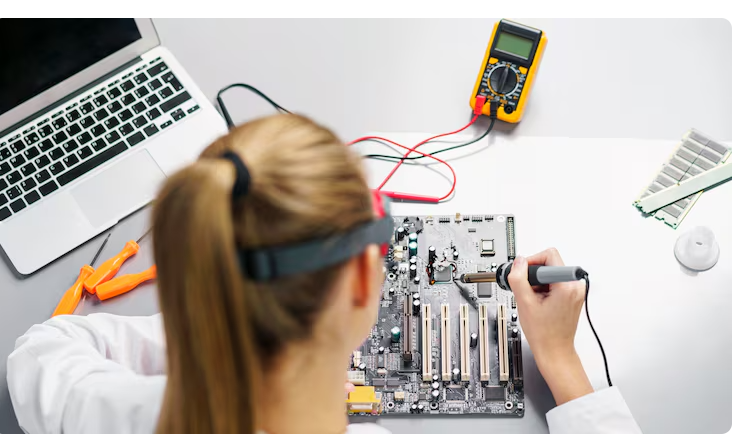
Before ruling out temperature, it’s important to note that either upgrading the RAM or taking the laptop in for a logic board inspection won’t likely resolve the issue. First, check the thermals. The hardware is most likely not broken if the crash timestamps match a prolonged high load and the CPU temperature was rising prior to the crash. There’s just not enough space to remain cool.
